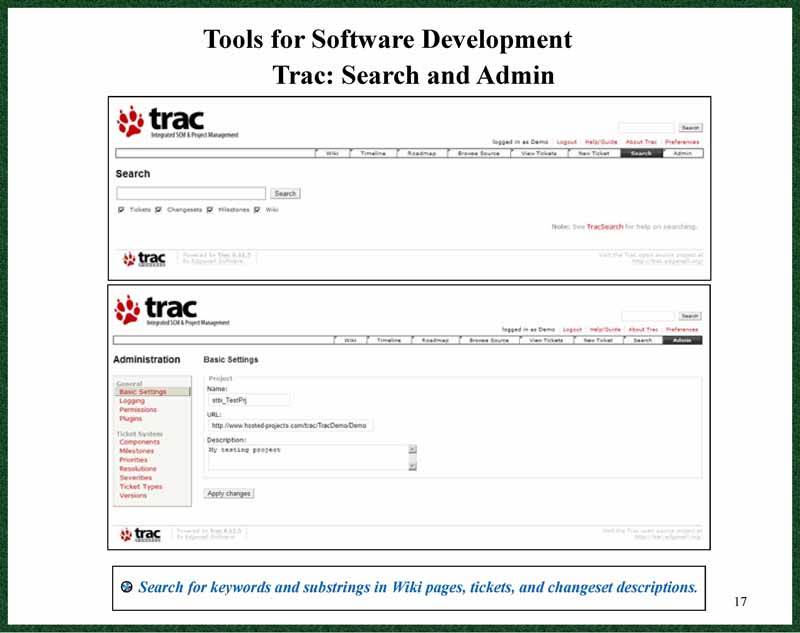
Trac is a web-based software project management application.
It includes a version control system that is a front-end for Subversion.
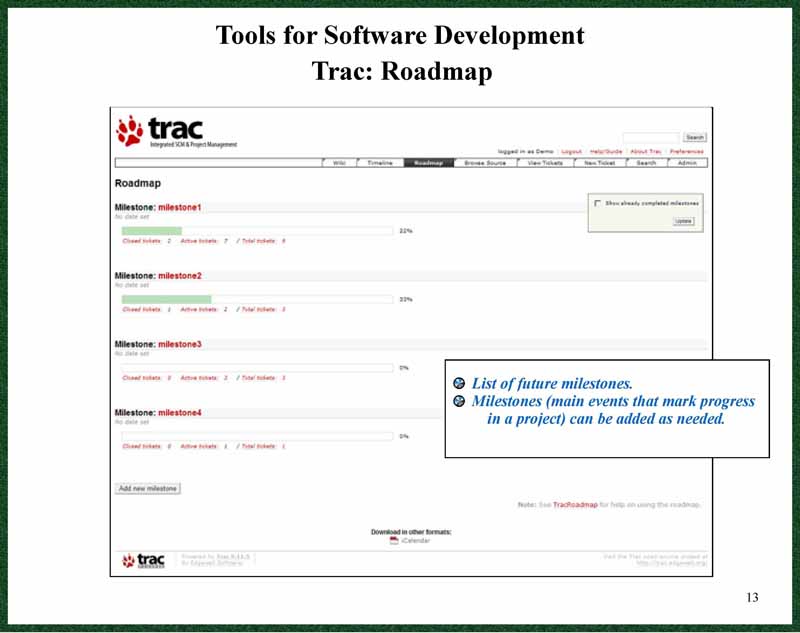
It is open source and written in Python. With Trac you can set up and track
project milestones and your progress toward them, and track bugs and their
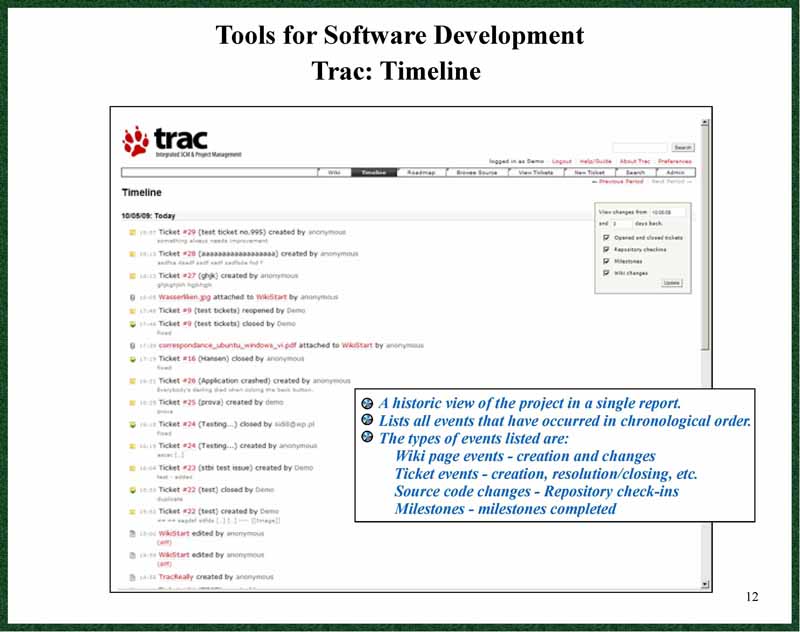
resolutions. It includes a timeline of events.
There is an online demo at the trac site
http://www.hosted-projects.com/trac/TracDemo/Demo
Use the user name: Demo and the password: Demo
Installing TortoiseSVN
If you are working on the computers in the CS department labs then you
will have to request that the System Administrator install TortoiseSVN
for you. If you are using your own computer then you can install it
yourself.
-
Go to the http://tortoisesvn.tigris.org
web site, click on Download in the menu and download the installer. Also download
the User’s Manual in PDF format to get the latest version. Click on Docs in the index
on the left of the download page, then select the English PDF version from the list. A
slightly older version is available at the link given below.
-
Double click the installer file and follow directions. Note: You must have Administrator
privileges to install Tortoise on your machine.
-
Restart and open Windows Explorer (not the web browser). Right click Start and select Explore.
-
Right click anywhere and in the pop-up menu you will now see the TortoiseSVN items added to the menu
Getting Set Up
You can download and install it on your machine. Use the Trac Administrator Guide, available on the CS 499 web page, for directions.
Trac is already installed on all of the CS machines.
Your instructor have to set up your accounts before you can use Trac.
Trac Overview
-
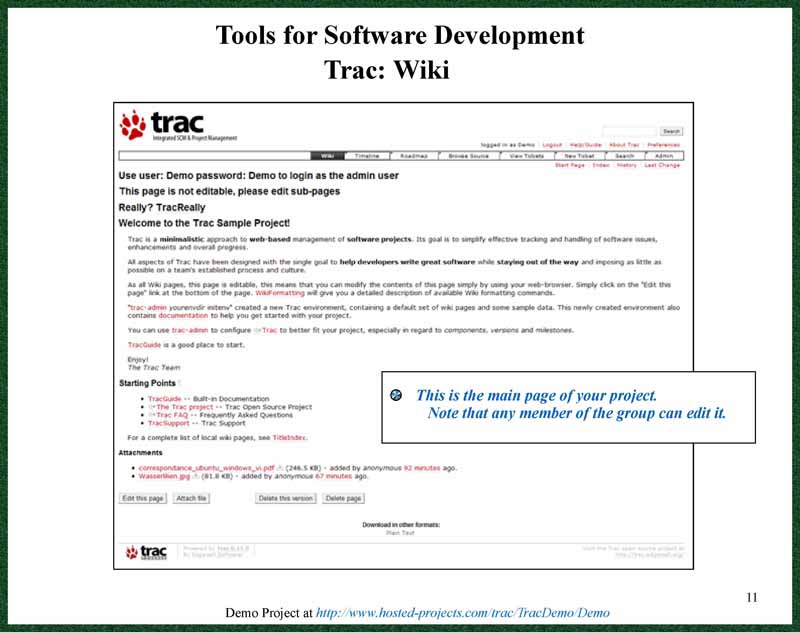
Trac Wiki
-
Trac Time Line
-
Trac Roadmap/Milestones
-
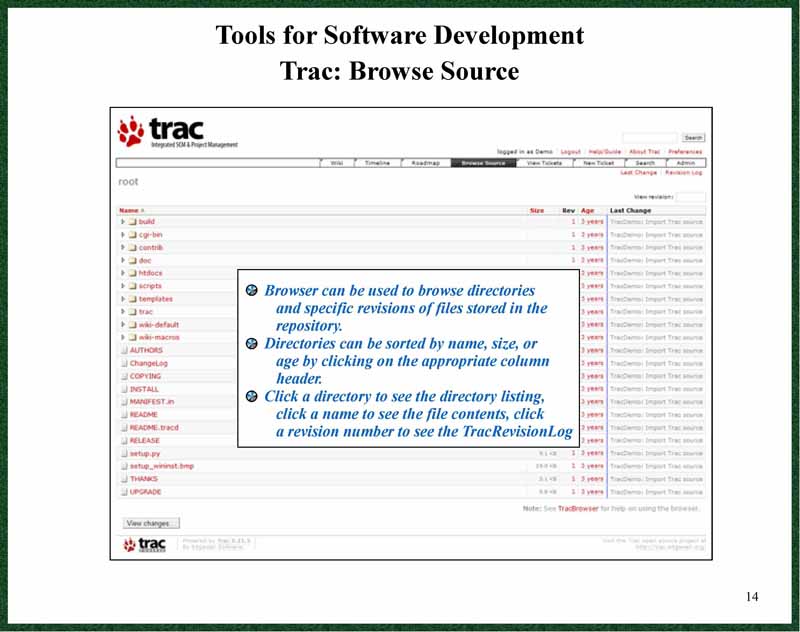
Trac Source Browser
-
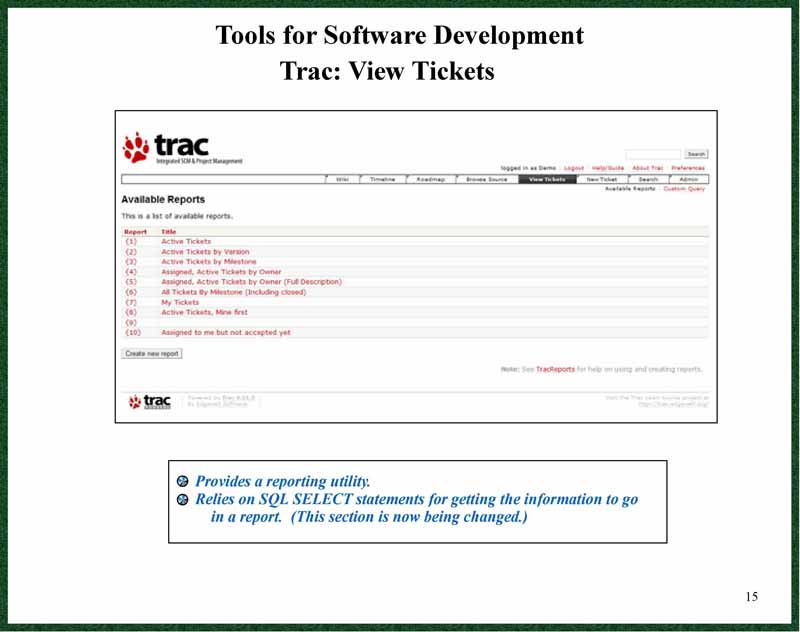
Trac Ticket Viewer
-
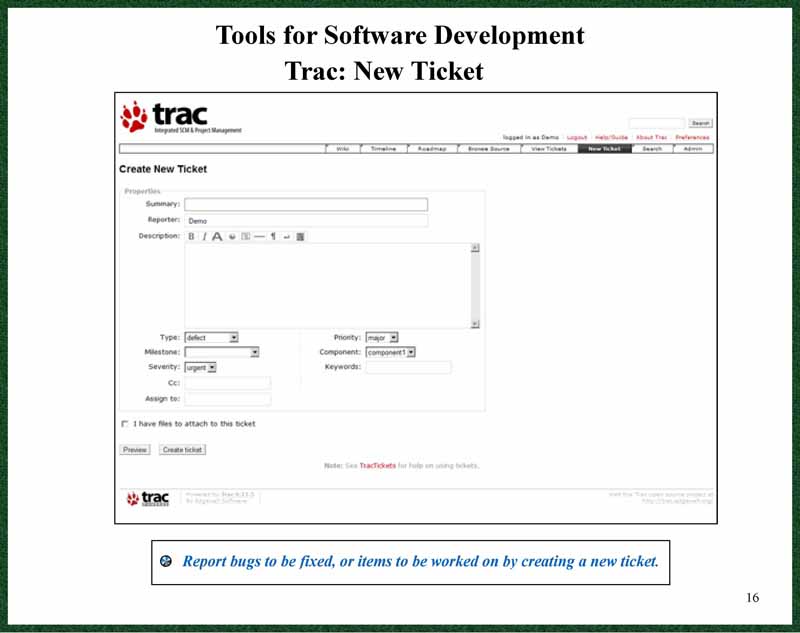
Trac New Ticket Utility
-
Trac Admin